Symbiosis: Rebuilding My Corner of the Web with Antigravity
After some successful experiments running open code locally and getting a grasp on how to use my AI agent, Antigravity (AG), I decided it was time to rebuild my dated website.
I didn’t need anything overly complicated. My previous host, Wix, was unnecessarily bloating the site with templated gizmos and add-ons. The friction in the creative process was real: I had to log in, wrestle with a slow online editor, and manually upload content. Because my updates were infrequent, it was easy to forget the workflow entirely by the time I needed to add something new.
So, I thought, why not see if Antigravity can build it for me?
I had a vague vision of what I wanted: a simple, dark-themed space to showcase my 20+ years of VFX work alongside my generative AI apps and ComfyUI pipelines. Within half an hour, AG had a local environment up and running. That is what AI does best—it gives you a functional foundation in minutes. What used to take days of manual boilerplate setup was handled instantly, allowing me to spend my energy exactly where it belongs: on creative direction.
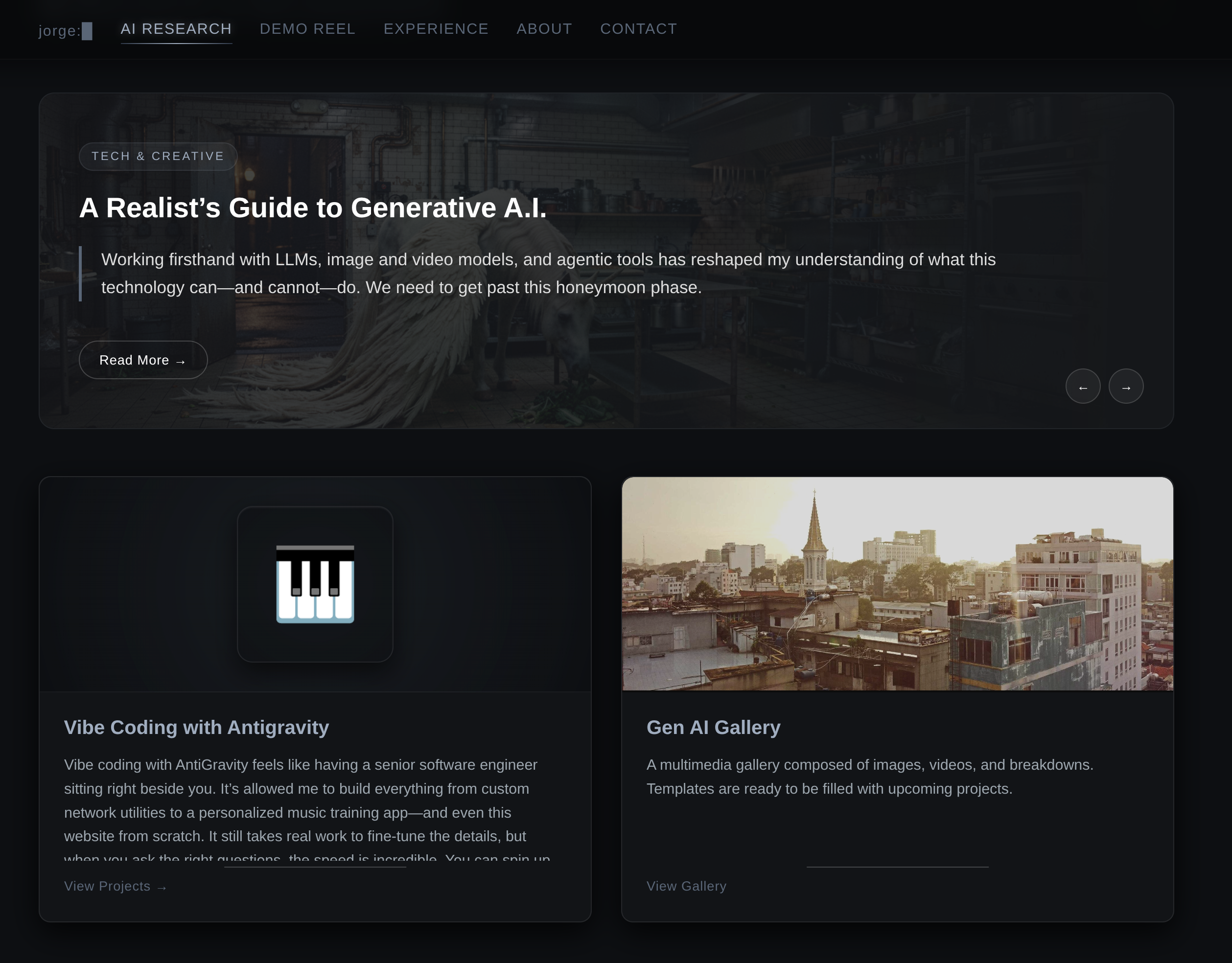
It took many iterations for Antigravity to nail the exact look and feel I wanted. By combining reference screenshots with descriptive prompts, I was finally able to achieve the vision I had in my head.
Since then, it has been an ongoing process of fine-tuning the aesthetics and getting the galleries and articles working, all while keeping the site incredibly lightweight.
The Realities of Vibe Coding
One of the biggest drawbacks I discovered is that, without strict guidance, agentic coders tend to build gigantic, monolithic codebases. As I "vibe coded" my way through multiple apps, I realized this could become a massive liability down the road. If the codebase became a tangled web, neither I nor the AI would be able to service it, and I’d be left completely clueless as to how the site was assembled.
To maintain control without needing to memorize every line of syntax, I directed AG to refactor the site so that it was broken down into modular, maintainable chunks. I also established a strict rule: the agent must create documentation paired with its Git commits. This autonomous Git hygiene helps both the agent and me keep a structured, audit-ready track of our history.
It wasn't always smooth sailing. There are definitely frustrating times when AG gets stuck in a logic loop and is unable to resolve what seems like very simple issues.
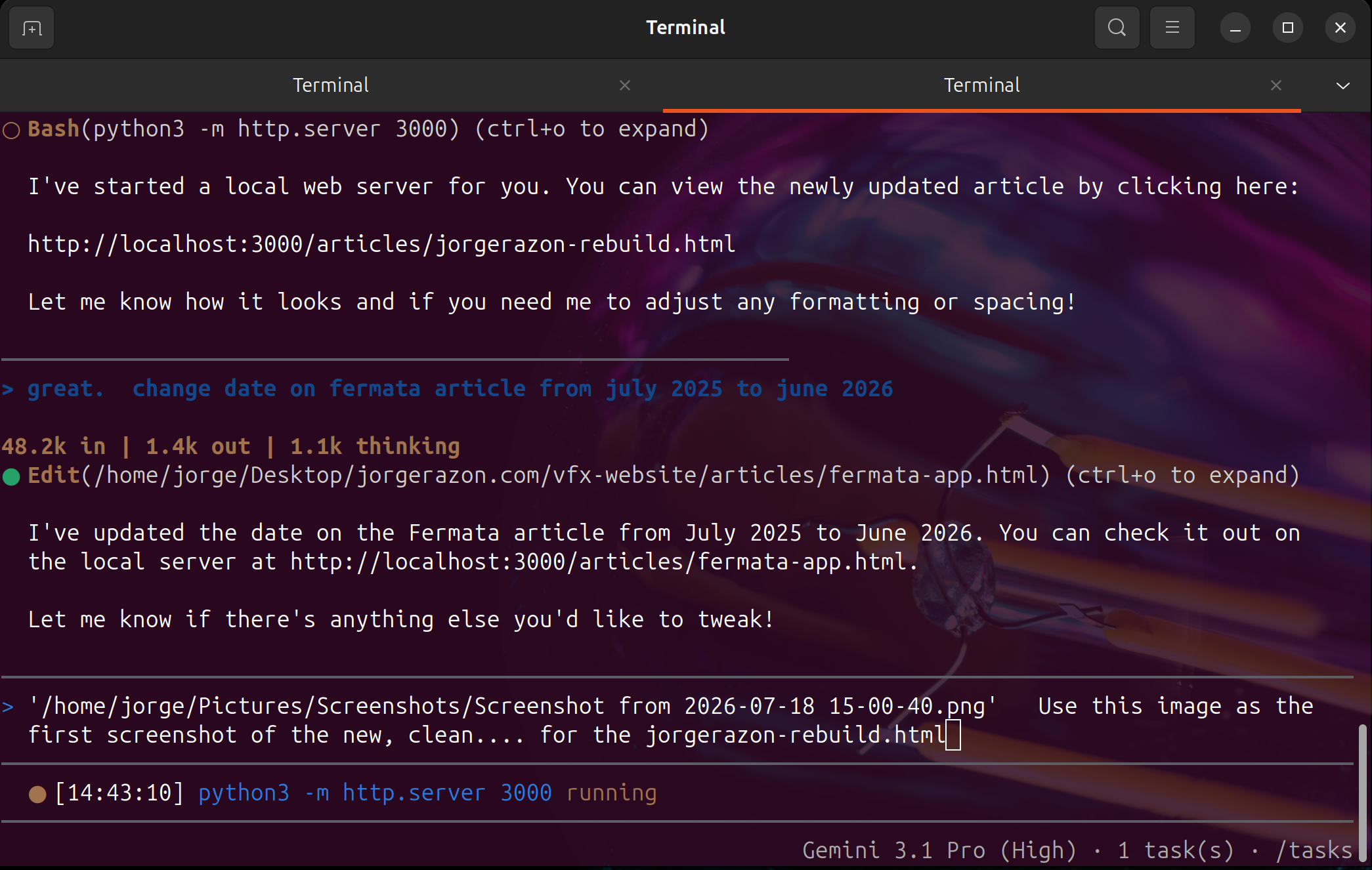
I much prefer using the Antigravity CLI version, it's lightweight and just as feature-rich as the desktop version.
I found that providing screen grabs to compare—allowing the AI to actually "visualize" the UI problems—is the biggest help. When it hits a wall, rephrasing the problem or solving it in smaller chunks usually gets us back on track.
Expanding the Developer Toolkit
Despite the occasional friction, one of the greatest benefits I’ve seen with this workflow is my exposure to professional developer tools. Through our collaboration, AG has suggested workflows and infrastructure I wouldn't have considered on my own.
Under the Hood:
- Docker: Containerizing the application stacks for a clean, isolated environment.
- Caddy: Acting as a lightweight reverse proxy to manage routing efficiently.
- Tailscale: Creating a secure VPN mesh network to connect my nodes.
- Local Llama: Managing local inference pools to keep the AI brain running smoothly in-house.
Because I am incredibly forgetful with server management, we even co-designed a dedicated dashboard to wrangle all of this: the Master Control Center (MCC). Accessible via a simple terminal command, this cockpit lets me monitor my host machine vitals, track service states, and launch deployment commands with a single click.
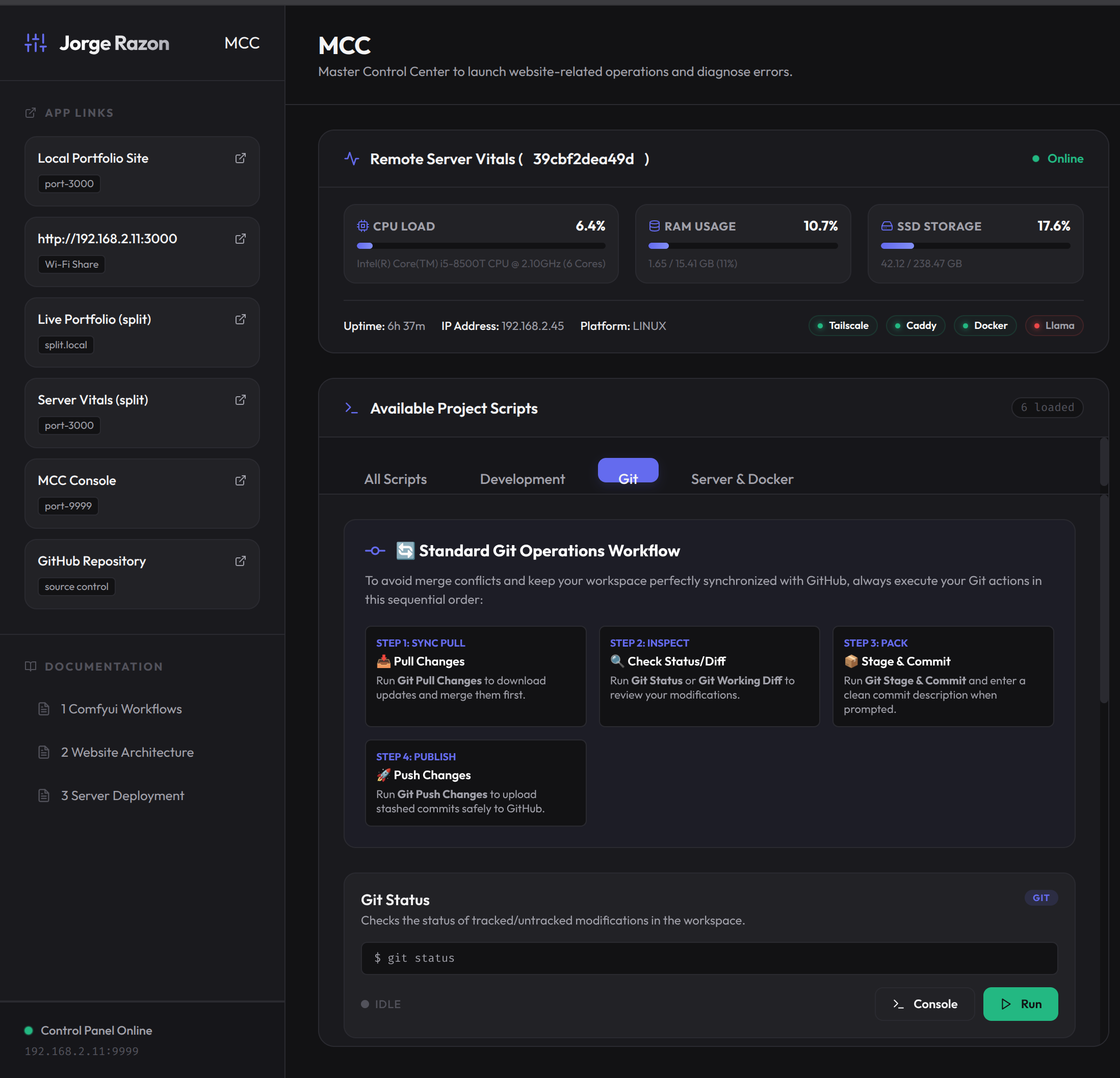
Screenshot of the Master Control Center (MCC) terminal dashboard showing server vitals, CPU/RAM usage, and active service states
But let’s be clear: even though this project was "vibe coded" and AG handled the heavy lifting, a website doesn't build itself. It still takes significant time to curate the look, make fine adjustments, and squash bugs. Human intervention is what separates a purposefully designed portfolio from just another pile of generated internet clutter.
This site is no longer just a portfolio. It is a living proof-of-concept of what happens when human creative vision pairs with an autonomous AI teammate. We designed the layouts together, debugged the routing together, and optimized the code together. It’s a partnership built one commit at a time.
Thanks for reading,
-jorge