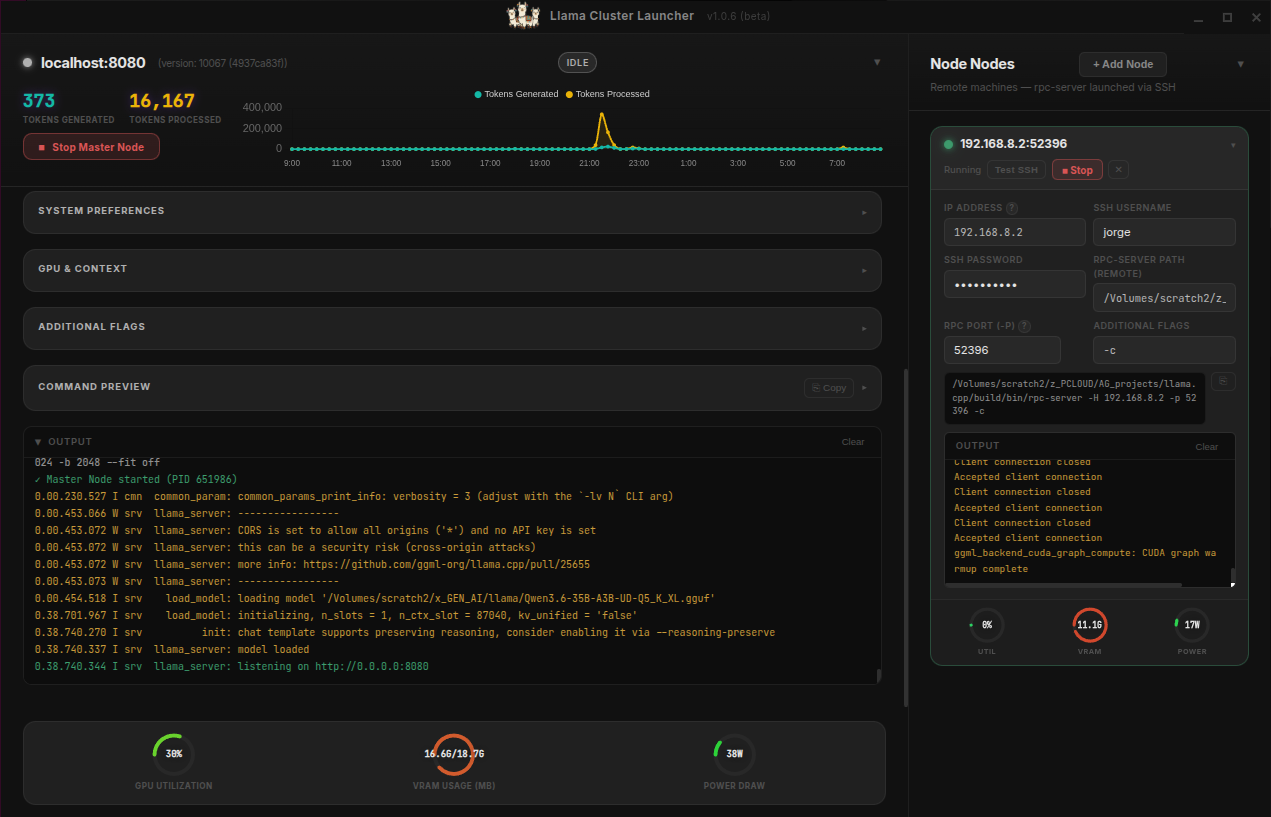
The main Llama Cluster Launcher dashboard displaying real-time metrics and active nodes.
One of my earlier vibe-coded apps is the Llama Cluster Launcher. The journey started when I realized that llama.cpp had far more capabilities and efficiencies than Ollama, prompting me to switch over my home lab to make full use of it.
Without doing too much internet research, I quickly realized that llama.cpp can cluster multiple GPUs—either local or remote—together to run much larger language models. As it turns out, I had an extra workstation collecting dust, equipped with a 12GB GPU. It didn't take long to figure out how to run a llama.cpp RPC server, and before I knew it, I had a 32GB cluster up and running.
The Problem: The Command-Line Nightmare
The llama.cpp GitHub repository is in a constant state of rapid evolution. It supports many LLMs, and each one works best with highly specific flags. The launch command gets incredibly long, and it becomes nearly impossible to remember what all these granular settings actually do.
For example, here is what my typical launch command looks like when spinning up a node:
/Volumes/scratch2/z_PCLOUD/AG_projects/llama.cpp/build/bin/llama-server \
  -m /Volumes/scratch2/x_GEN_AI/llama/Qwen3.6-35B-A3B-UD-Q5_K_XL.gguf \
  --port 8080 \
  --host 0.0.0.0 \
  -ngl 99 \
  --rpc 192.168.8.2:52396 \
  -c 87040 \
  -ctk q8_0 \
  -ctv q8_0 \
  -np 1 \
  --flash-attn on \
  --no-mmap \
  -ub 1024 \
  -b 2048 \
  --fit off
I needed a way to simplify launching the cluster. Managing multiple inference processes across different models, GPUs, and configurations was quickly becoming a headache of terminal windows and opaque resource contention.
The Build: Vibe-Coding with Antigravity
I'm a VFX veteran and college prof, not a software engineer. I don't pretend to be a master coder. I used Google Antigravity (AG) to vibe-code the Llama Cluster Launcher. AG handled the heavy lifting of boilerplate, architecture scaffolding, and cross-platform compatibility, while I provided the guidance, architectural vision, and UI testing.
What started out as a simple GUI has grown into a fully functional system to easily add remote machines and manage the entire setup visually. We built it through rapid, iterative loops—proposing features, generating code, and refining.
Under the Hood: Core Capabilities
Every feature was built to solve a real friction point in local LLM cluster management. Key features include:
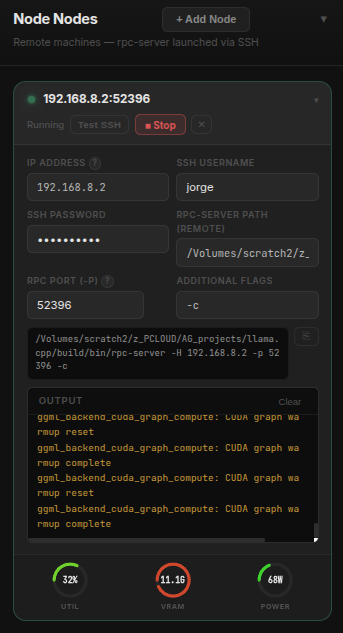
A remote 12GB GPU node running the llama.cpp RPC server, ready to accept cluster connections.
- Visual Cluster Management: Launch, manage, and terminate multiple LLM inference processes simultaneously from a unified desktop interface.
- Live Monitoring: Built-in GPU monitoring and a real-time token counter so you can actually see what your hardware is doing at a glance.
- Encrypted Presets: Save your complex configuration flags as profiles. The code has been audited multiple times to ensure security, keeping your saved presets safely encrypted.
- Node Configuration: Easily adjust context size, temperature, and layers through a visual editor instead of stringing together command-line flags.
Real-World Application
This is undeniably a technical tool built for fellow tinkerers looking to push the limits of their home lab systems, or even enterprise-level workstations and servers. Because it deals with distributed inference, it requires high network throughput—systems really should be connected via a 10-gigabit Ethernet (10GbE) network to avoid bottlenecks.
My Daily Driver: Having this cluster tool allows me to efficiently generate code, debug, build small to moderate-sized apps and games, create documentation, and run fairly smart local LLMs completely offline.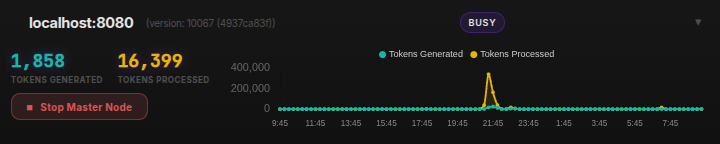
The token counter is mostly just for fun, but it lets me see how frequently I'm using the cluster.
Thanks for reading,
-jorge
Interested in running your own cluster? Check out the repo!